
A4 · Day 1 — Mastering the hardware
Layer 1 · Boxphone
Question of the day: Do the phones obey me?
Day 1: use the GenFarmer software at a basic level to get a feel for how it works.
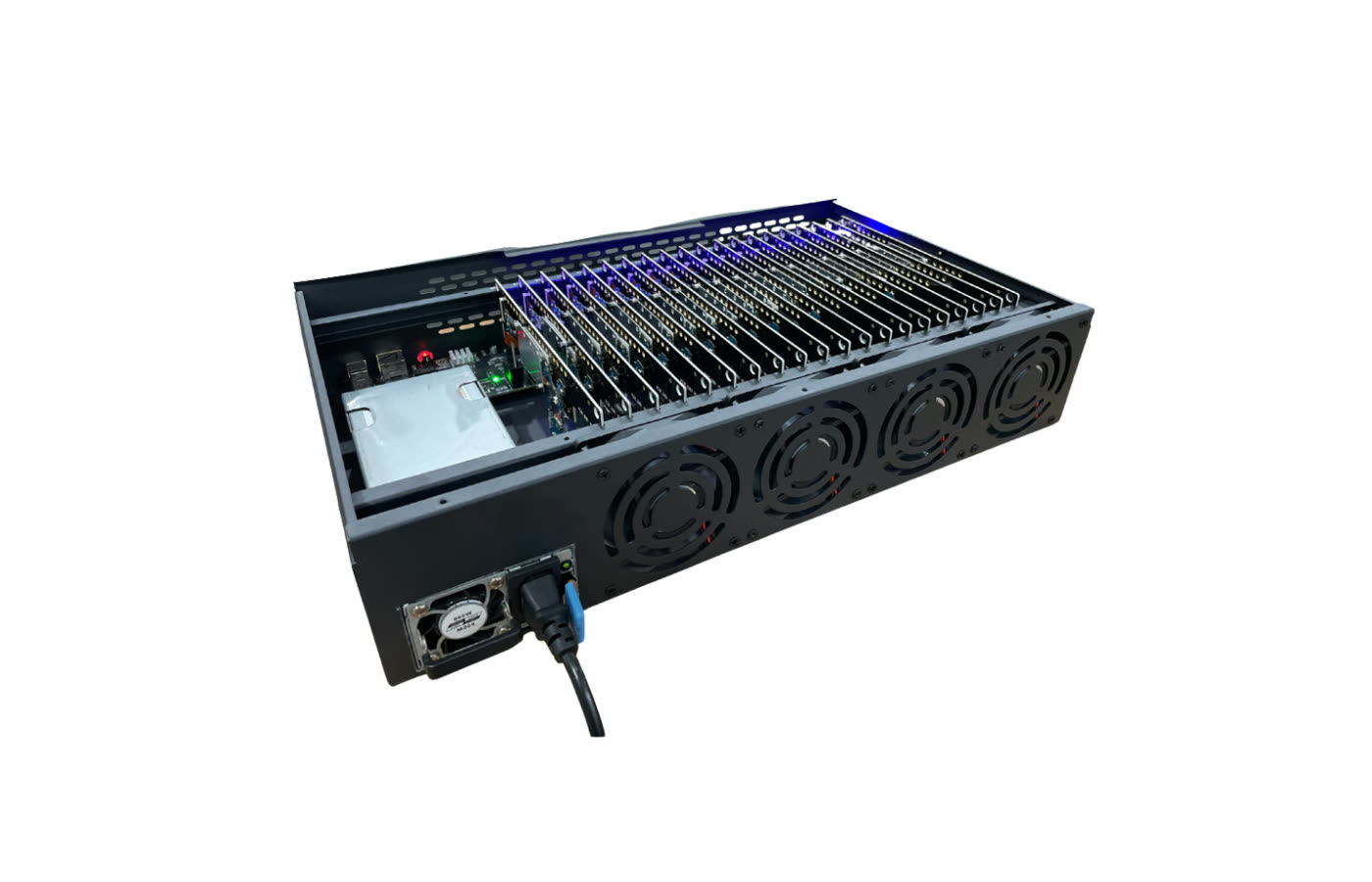
Download the software → Set up the box + router → Use the software manually at a basic level
Download the software
Section titled “Download the software”Download the GenFarmer software from genfarmer.com/download and install it. User Manual (HDSD) p. 1
Log in
Section titled “Log in”Click the avatar icon and choose Login. If you do not have an account yet, register first. HDSD p. 2–3
Choose the connection mode that matches your equipment
Section titled “Choose the connection mode that matches your equipment”This is where most people get stuck, so read carefully.
| You have | Mode | Why |
|---|---|---|
| 1 box + GenRouter H3000 | USB | The H3000 can only drive 1 box; in practice it cannot handle 2 |
| Mini PC (even with just 1–2 boxes) | OTG | The phones use the mini PC’s network, so OTG is the default |
| No mini PC, no H3000 | OTG or Wi-Fi | Flexible, depending on your needs |
USB mode — H3000
Plug it in and it is detected automatically. HDSD p. 8
OTG mode — mini PC
- Add the two address ranges
192.168.4.1–255and192.168.5.1–255. - Click Active.
- Click Scan. HDSD p. 4–7
OTG is plugged in but the phone still has no internet — check in this order:
- Proxy — is the proxy working?
- If the proxy is fine, check the time on the phone — if it is wrong, correct it; you can match it to the time on your PC.
Use the GenFarmer software manually at a basic level
Section titled “Use the GenFarmer software manually at a basic level”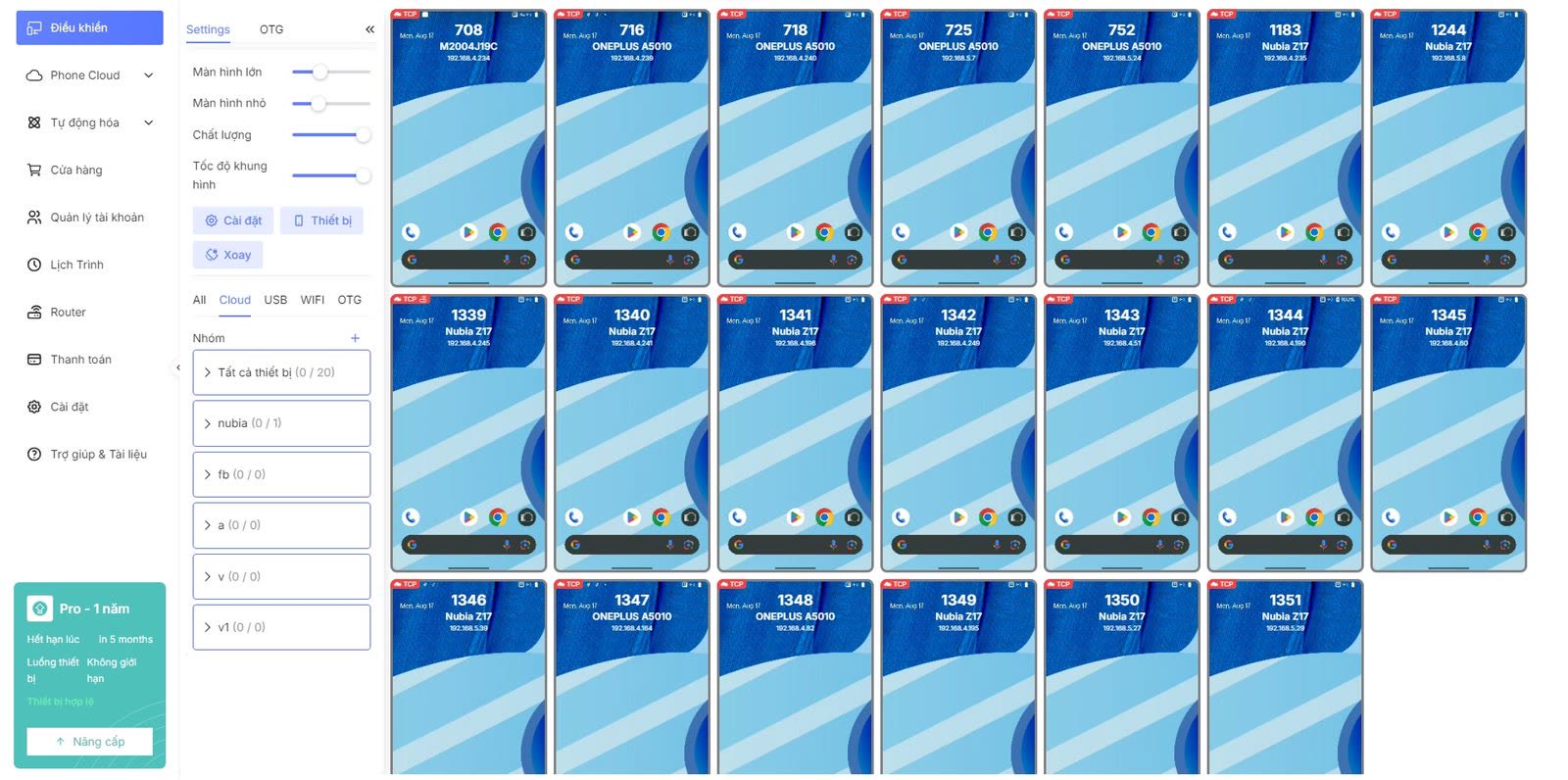
The Control Center section. HDSD p. 4–7
Turn on Wi-Fi automatically on all 20 phones
Section titled “Turn on Wi-Fi automatically on all 20 phones”Change the system time on the phones
Section titled “Change the system time on the phones”Match it to the time zone you are using — you can match it to the time on your PC.
Toggle the flashlight on any one phone
Section titled “Toggle the flashlight on any one phone”This is the smallest yet clearest test: if the phone responds within a few seconds, the control path is working.
Try synchronized actions
Section titled “Try synchronized actions”Tap on one phone and watch all 20 phones follow.
Spend 15 minutes tapping around on a few phones by hand
Section titled “Spend 15 minutes tapping around on a few phones by hand”This step looks like a waste of time, but it is not — Day 3 relies entirely on this feel.
Optional: try a few adb commands
Section titled “Optional: try a few adb commands”If you have a technical background. Skipping this changes nothing.
Done when
Section titled “Done when”Three common mistakes
Section titled “Three common mistakes”| ✕ | Mistake | Cause / fix |
|---|---|---|
| 1 | Scan finds no phones | Almost always because both address ranges were not added, or they were added but Active was never clicked |
| 2 | OTG is plugged in but the phone has no internet | Check the proxy first; if the proxy is fine, check the time on the phone |
| 3 | Using an H3000 for 2 boxes | The H3000 can only drive 1 box. From 2 boxes up you need a mini PC and OTG mode |